

⚡ Re-run failed translations 10x faster, with better logs and Bricks support

Gato AI Translations for Polylang just dropped v15.3, with the ability to re-run failed translations much faster than before.
Process failed translations only
Whenever a translation fails (due to the API going offline, having an invalid API key, running out of credits, etc), the plugin prints an error message in the logs, from which you can find out which entry and language failed.
You can then re-run the translation for them only, as to avoid spending API credits for translations that were successful. To do that, you would select the corresponding entries, and do Gato Translate (Custom) selecting the Disable translation option for each successful translation.
Checking the logs, retrieving which entries and languages failed, and then configuring the Gato Translate (Custom) Settings page accordingly, is a time-consuming process.
In v15.3 of the plugin, all of this is now out of the window 🙏.
In the Gato Translate (Custom) Settings page, you can select the Process failed translations only option, and that will re-run the translation for the failing entries and languages only, skipping all the successful ones.
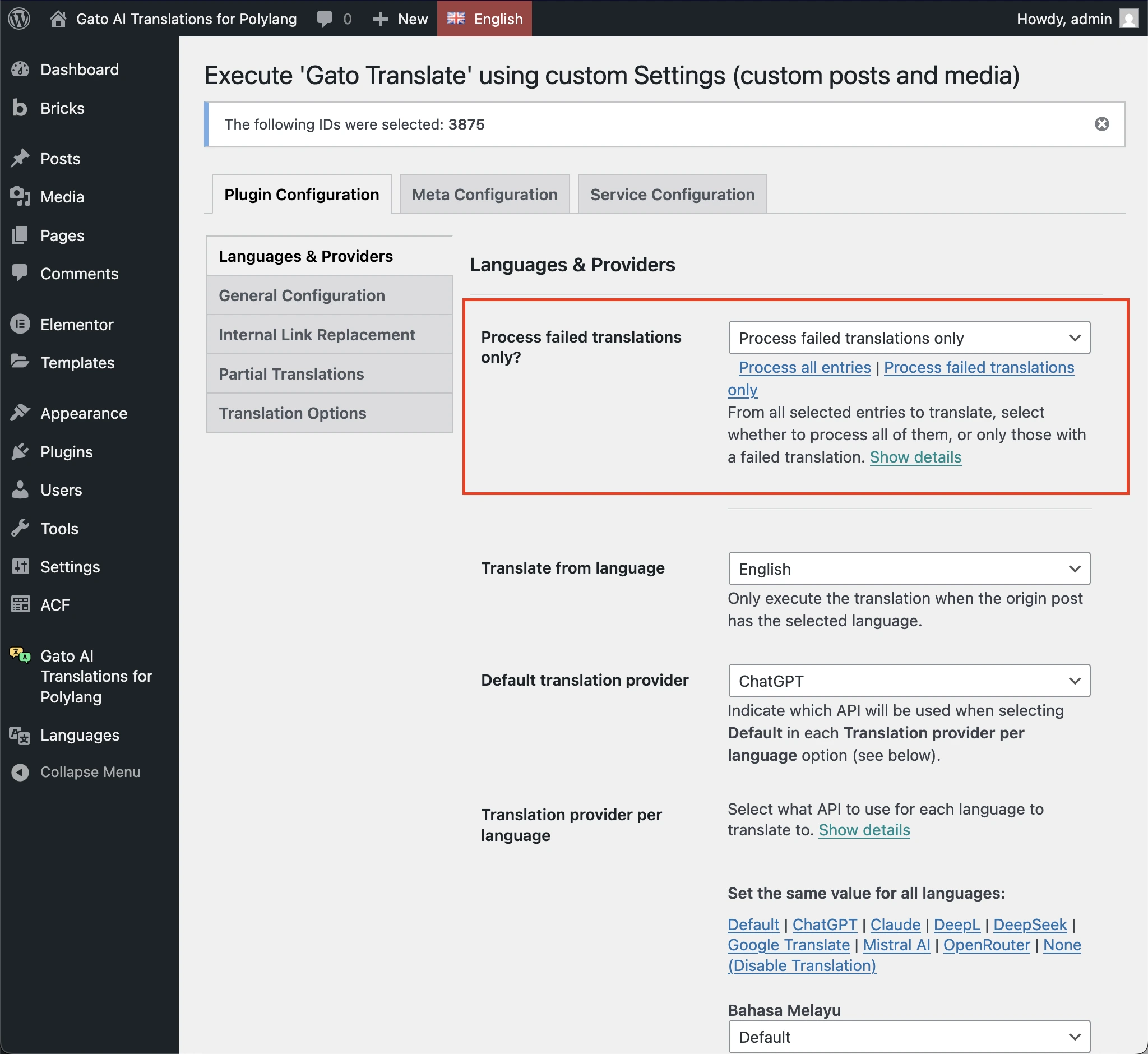
For instance, if translating 2 posts to 5 languages, that is 10 translation requests sent to the API service. If one language failed for one post, running the Process failed translations only option on the same entries will re-run the translation for that specific post and language only, not all 10 of them.
Visual indicators for failed translations
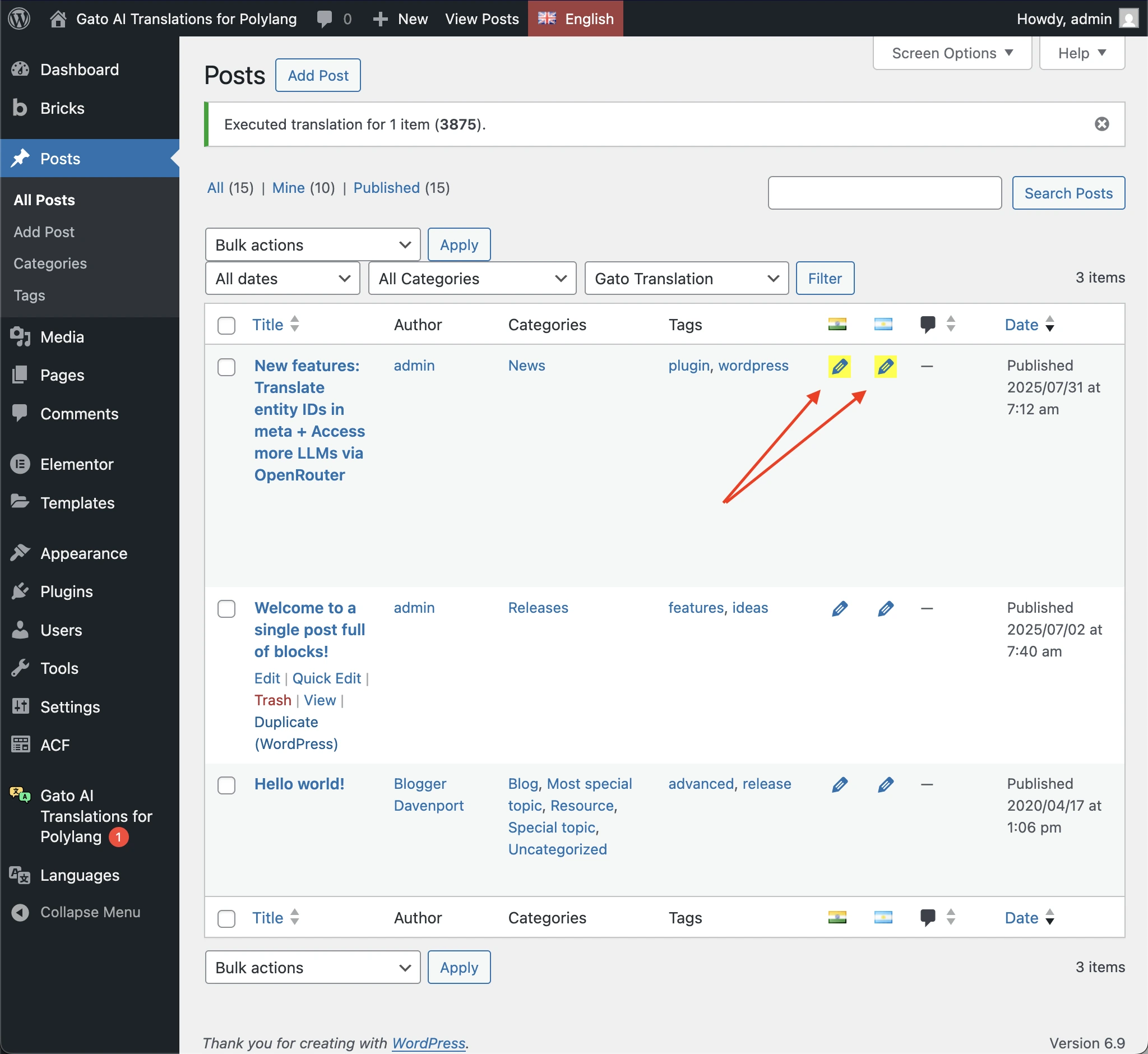
In addition, you can easily visualize which entries/languages have failed translating, as these are now highlighted with a yellow background on the Polylang edit icon in Posts, Media, Tags, and Categories list pages:
Filter failed translations in list pages
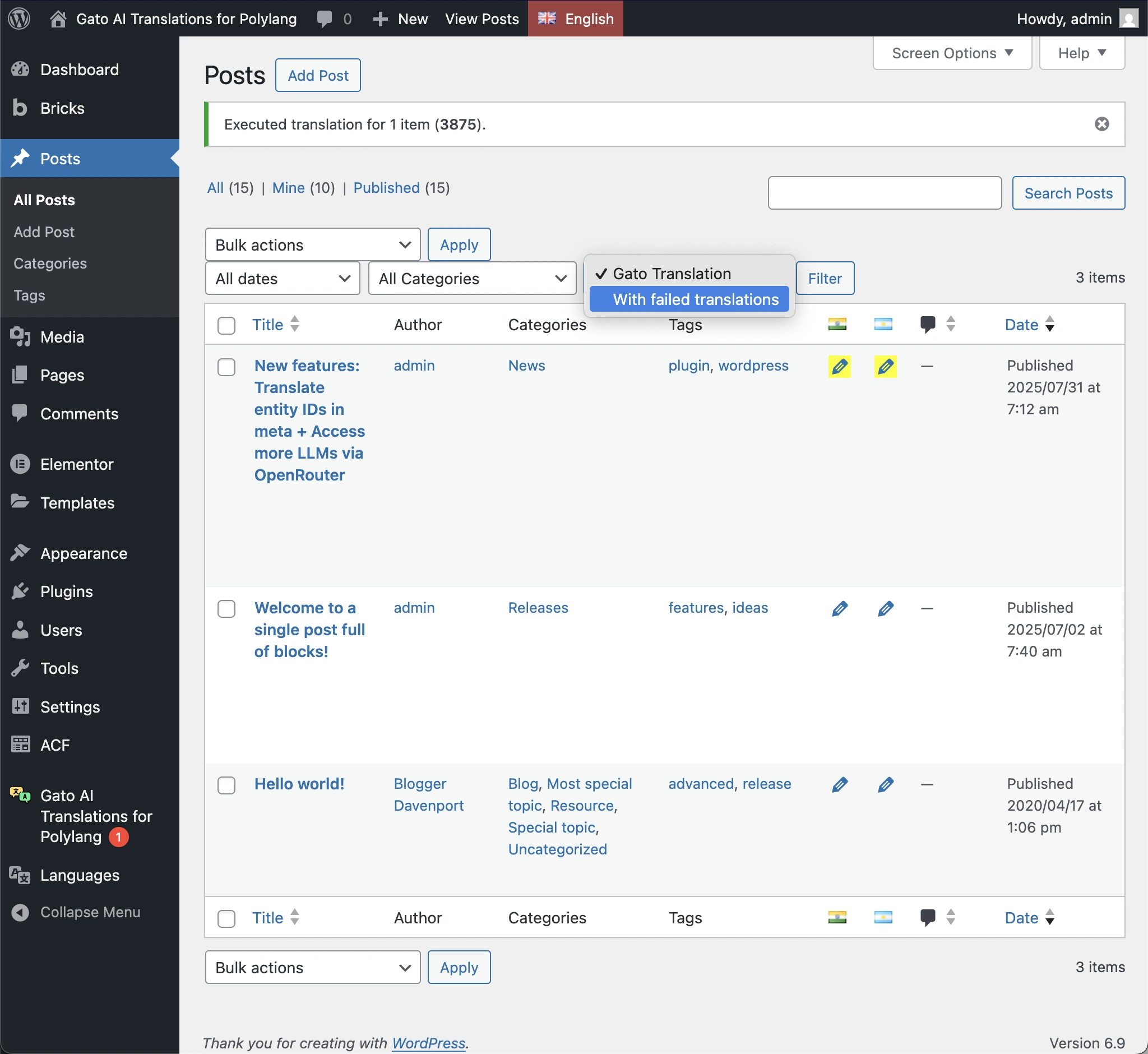
In the Posts and Media list pages, a new Gato Translation filter has been added to show only entries with failed translations:
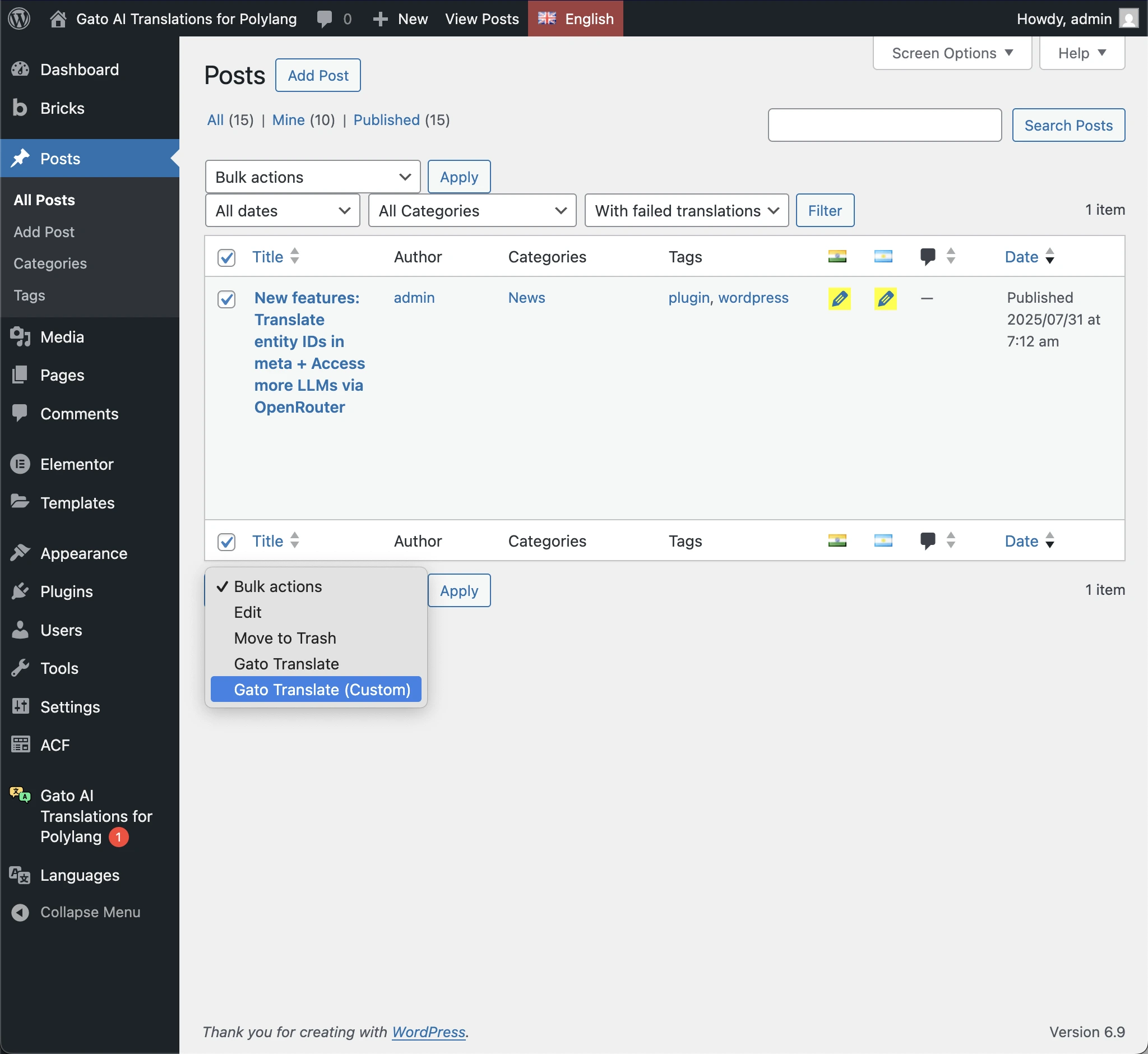
Filtering these entries allows you to easily re-run the translation for all of them at once.
WP-CLI support
Finally, this feature is also available via WP-CLI using the --process-failed parameter.
Other improvements
Version 15.3 includes several other improvements and bug fixes, including:
-) from the slug before translatingcore/list blockSee the changelog for the full list of changes.
As always, enjoy! 🙏
