

🚀 Released v16.0 with custom prompts and menu translation

Gato AI Translations for Polylang just dropped v16.0, with custom prompts stored in the database via CPT, and translation of menus.
Please notice: This version introduces a breaking change that needs to be addressed; read the following section before upgrading.
Breaking changes
This version supports storing prompts via a new AI Prompt CPT, and moves the Default prompt input to a different tab in the Settings (see later in this post).
As such, you need to migrate any customized prompts to the new format.
To do this, before upgrading to v16.0, do the following:
Check if the Customize the prompt for each AI service? checkbox is enabled in the Plugin Configuration > AI Translation Options tab in the Settings:
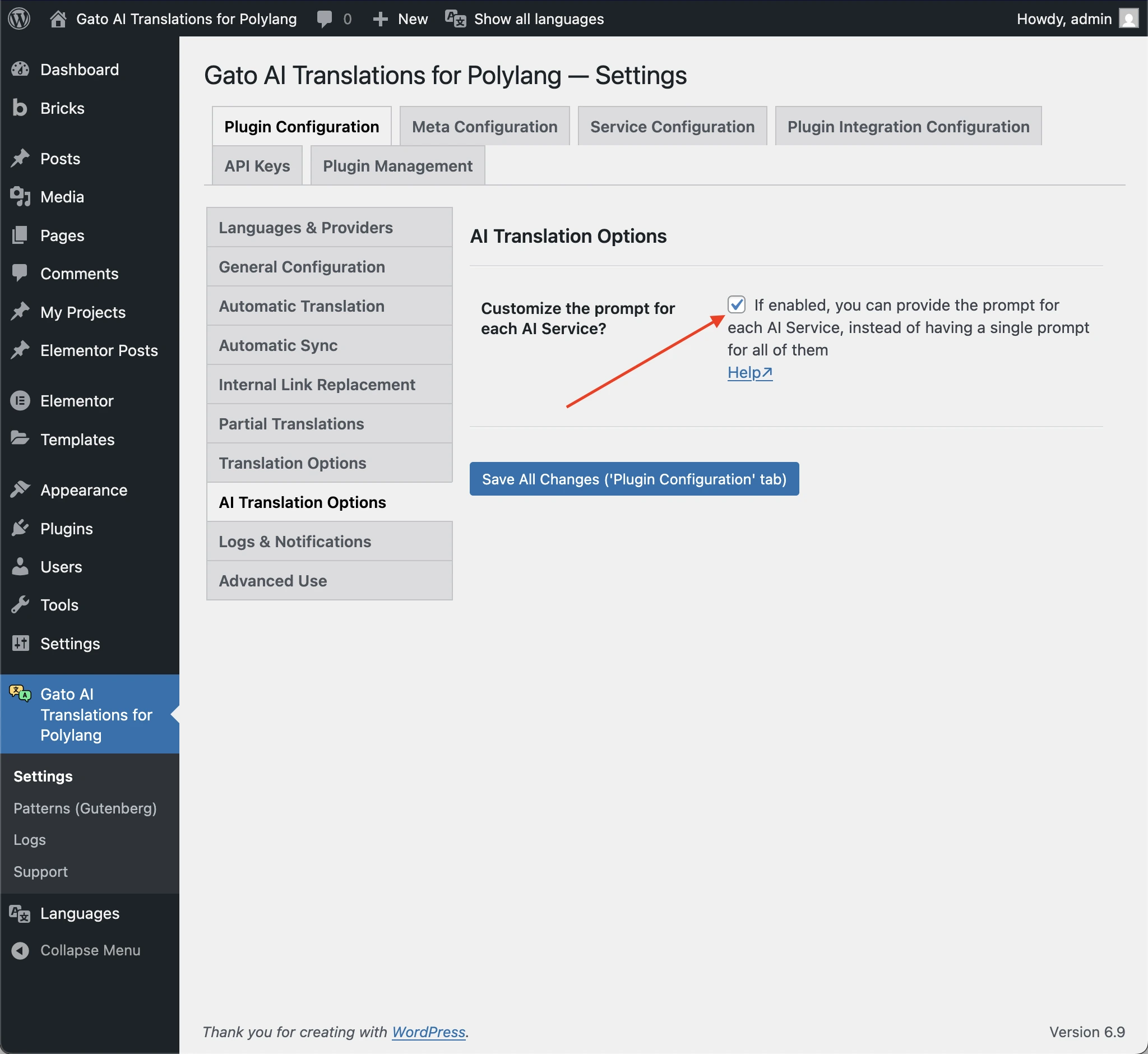
If it is enabled, and you have customized the prompt for any AI service, you need to copy that custom prompt:
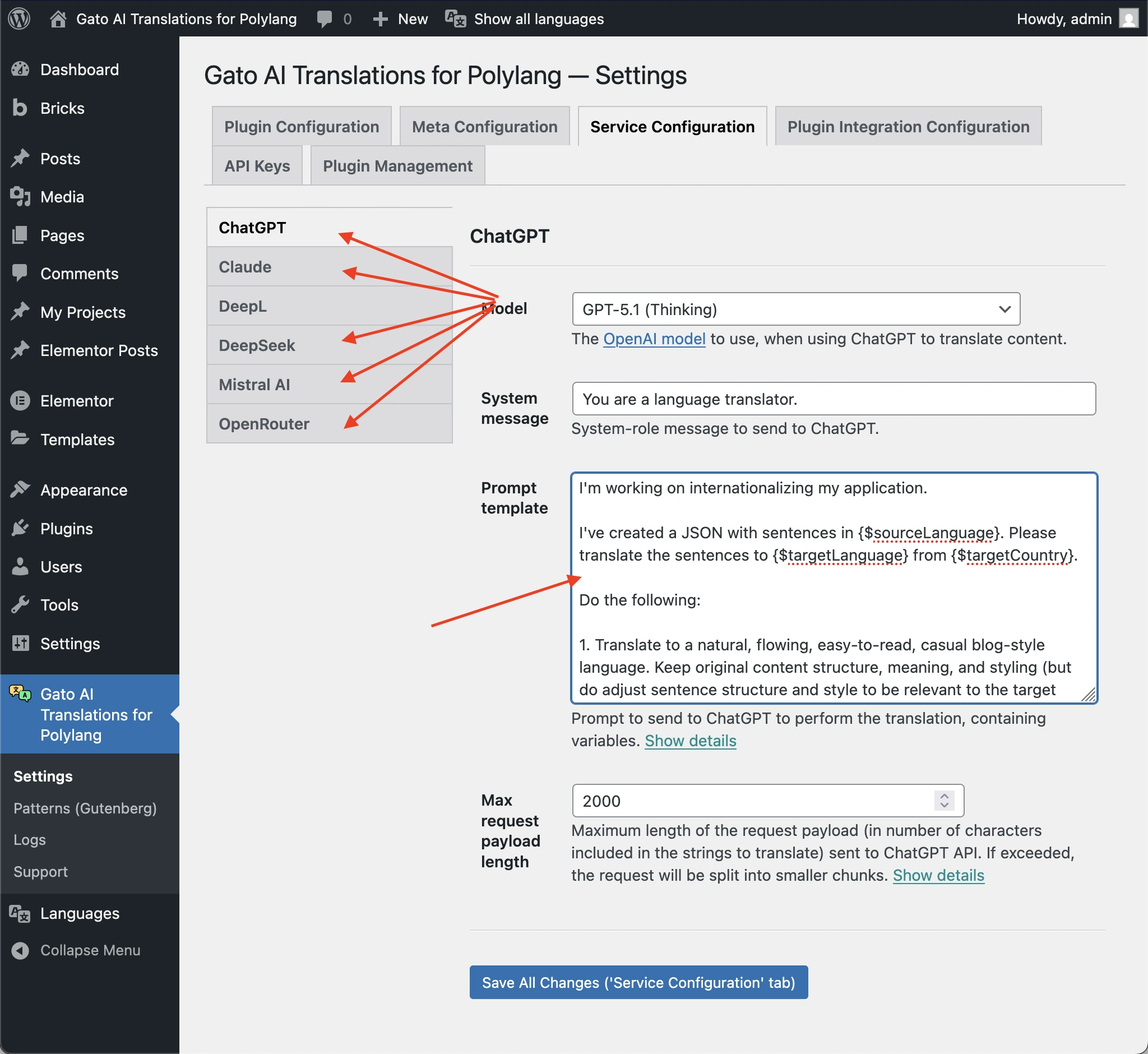
If it is disabled, and you have customized the prompt under the All AI Services section, you need to copy it from there:

Then upgrade the plugin to v16.0, and migrate the copied prompt(s).
You can create a new AI Prompt entry for each prompt you copied, and paste the prompt in the Prompt template field:
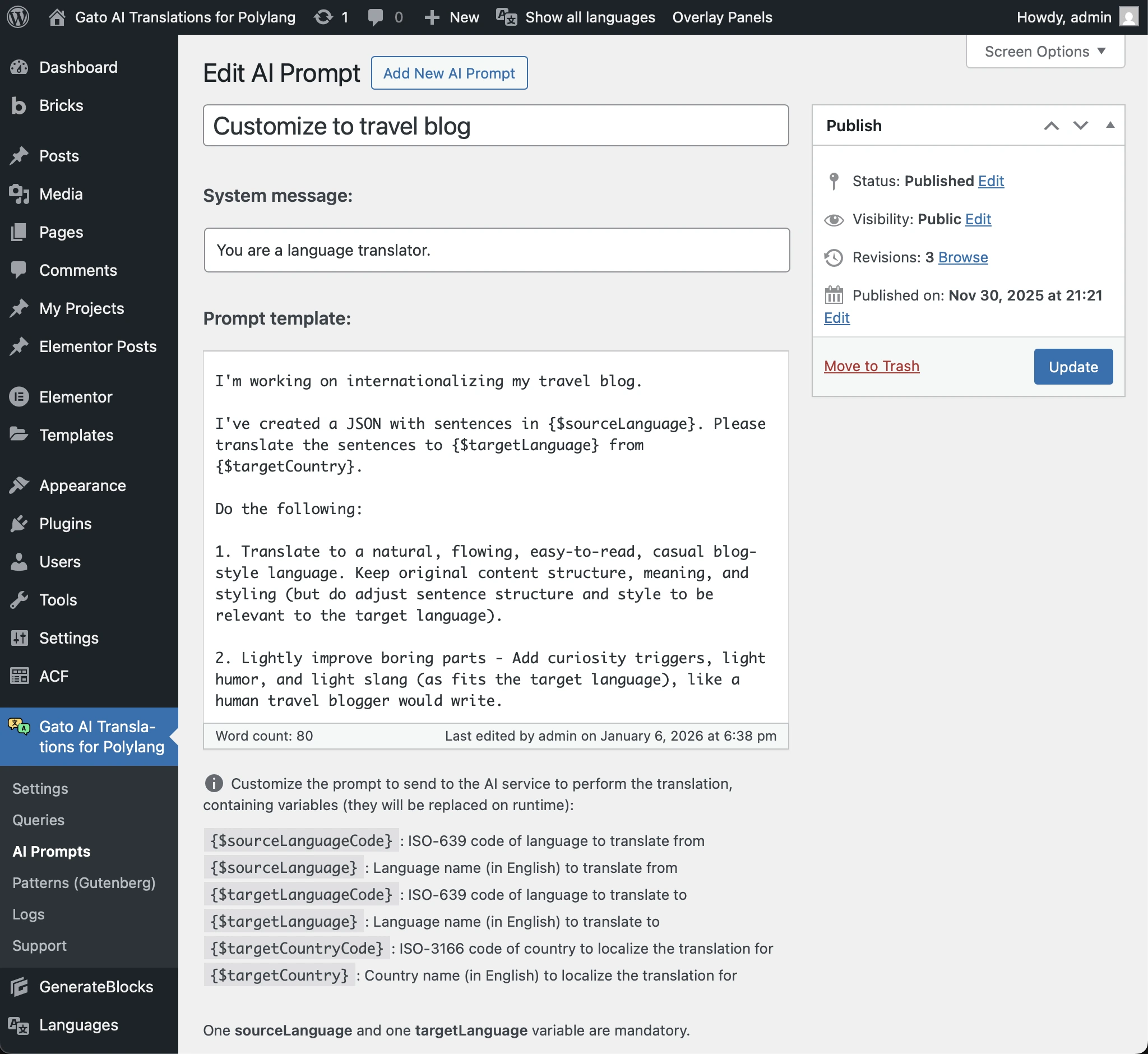
Then select which prompt to use in the Settings:
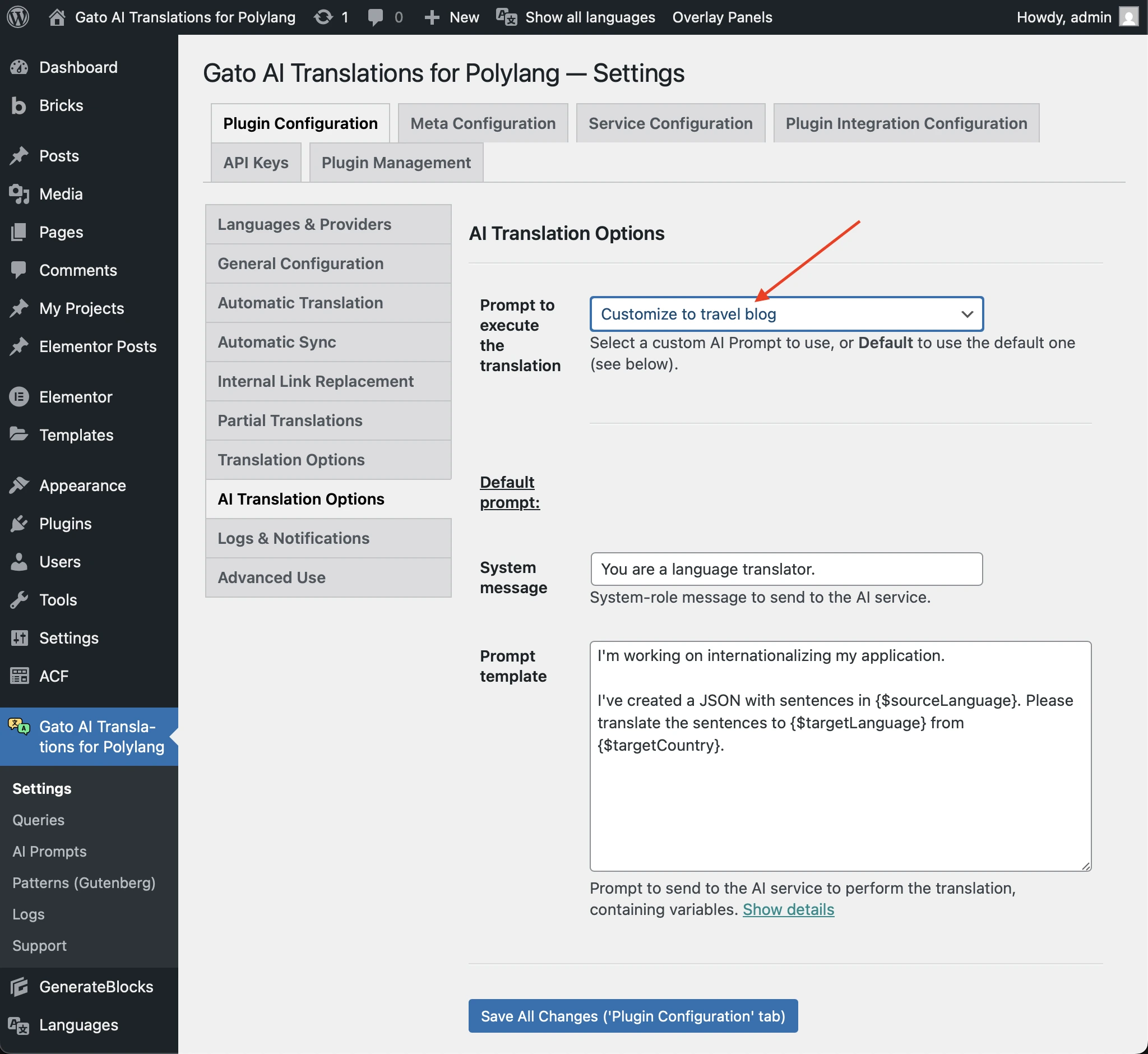
You can also modify the default prompt, under the Default prompt section:
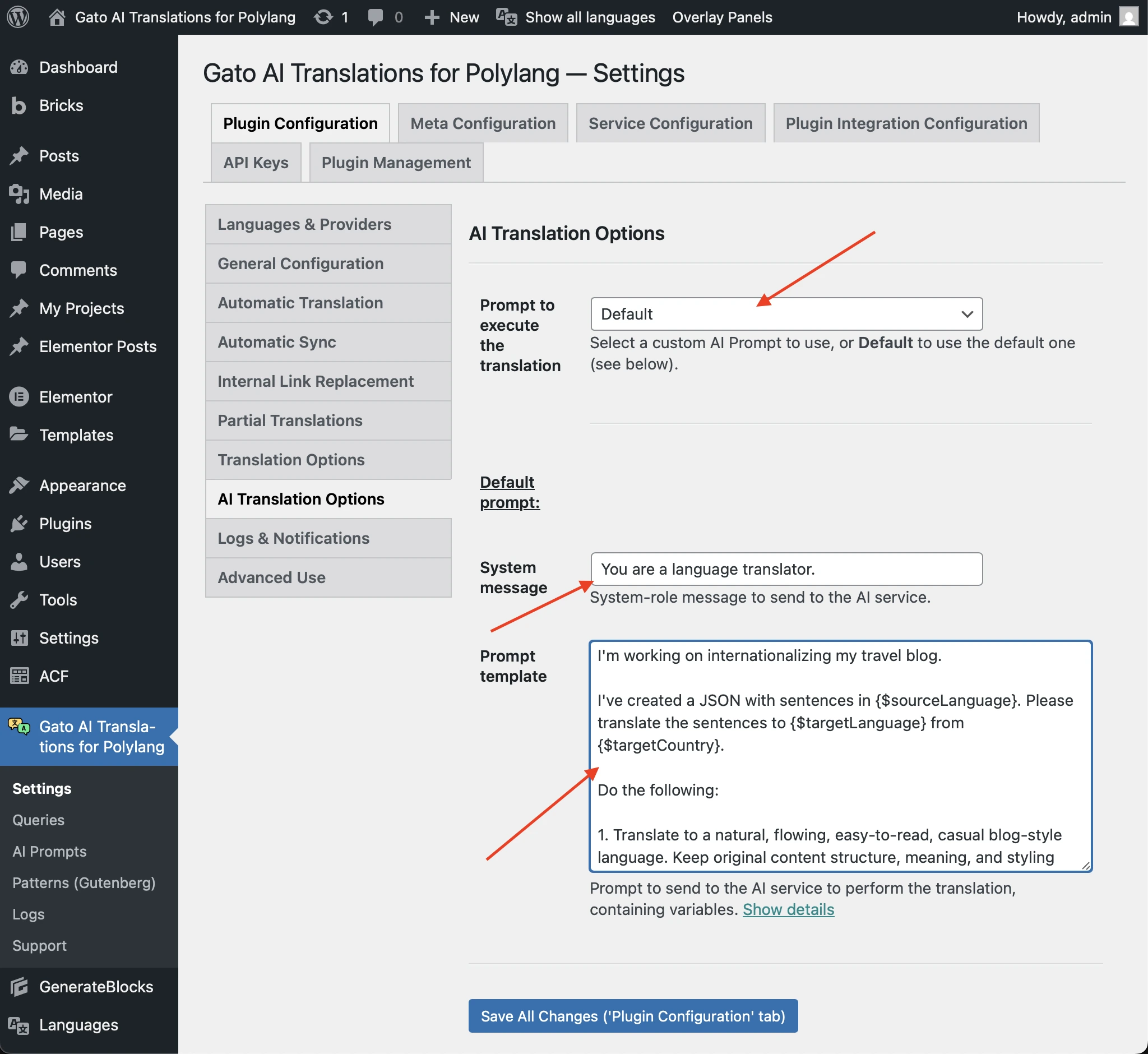
Now, let's see the new features.
Custom prompts
A new AI Prompt custom post type (CPT) has been added to store custom prompts.
This allows you to create and manage reusable prompts that can be used across different languages and translation scenarios.
Go to AI Prompts in the plugin's menu to manage them:
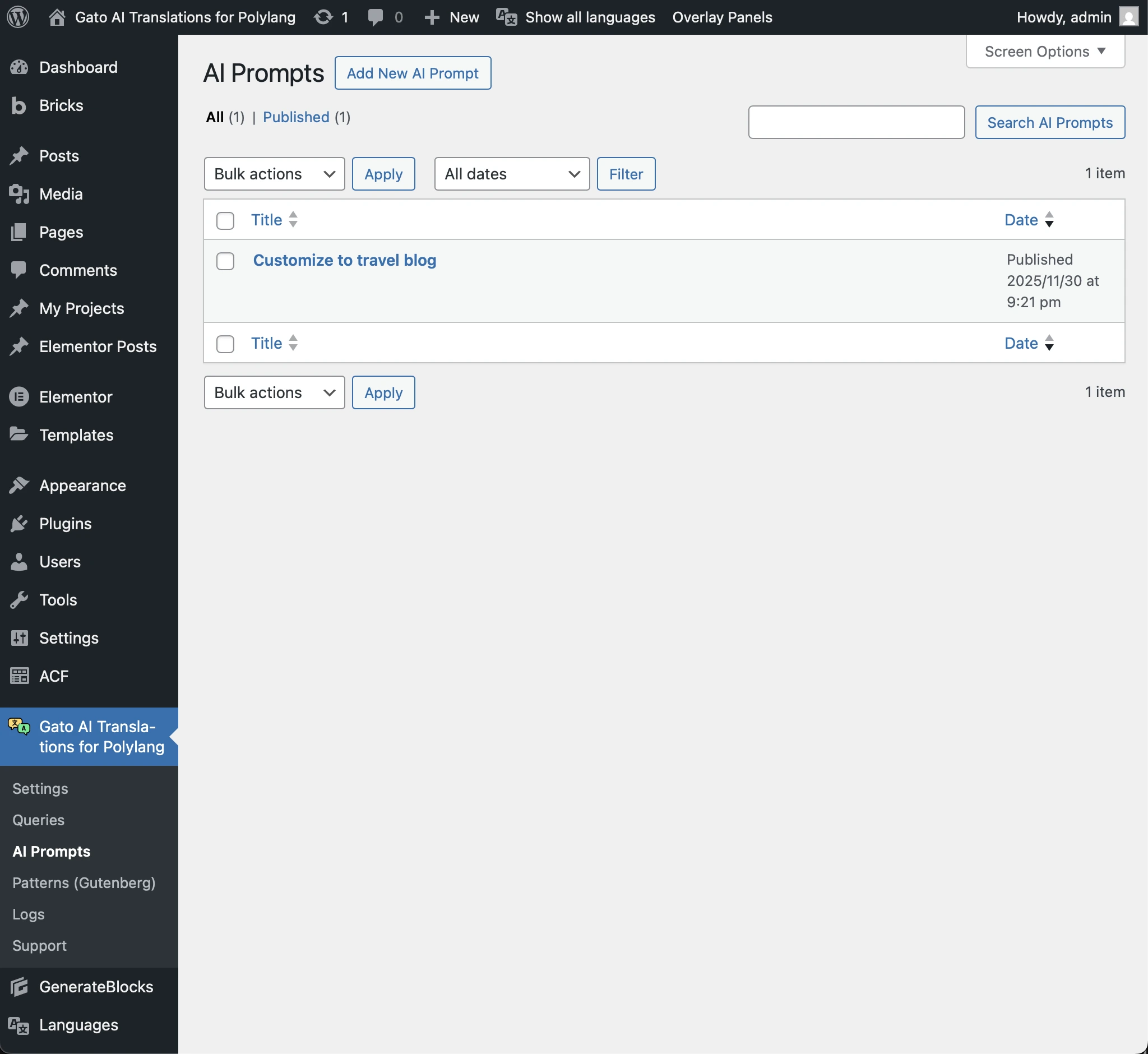
Read more in detail in the guide Customizing AI prompts.
Menu translation
Gato AI Translations for Polylang can now translate your WordPress navigation menus to all configured languages.
Menus are translated automatically when editing and saving a menu.
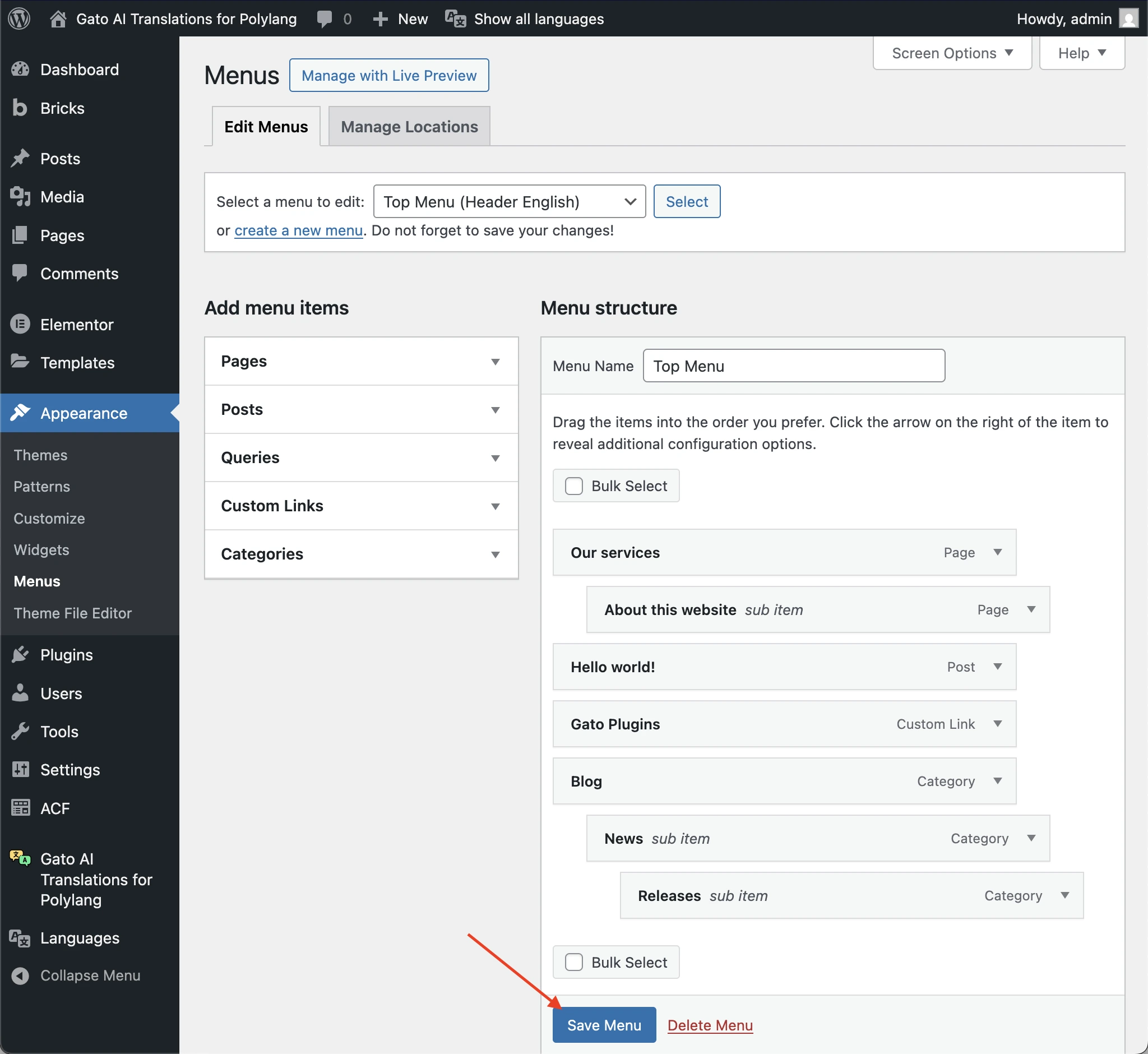
When a menu is translated, the plugin creates a new menu for each target language, translates it, and assigns it to the corresponding menu location for that language.
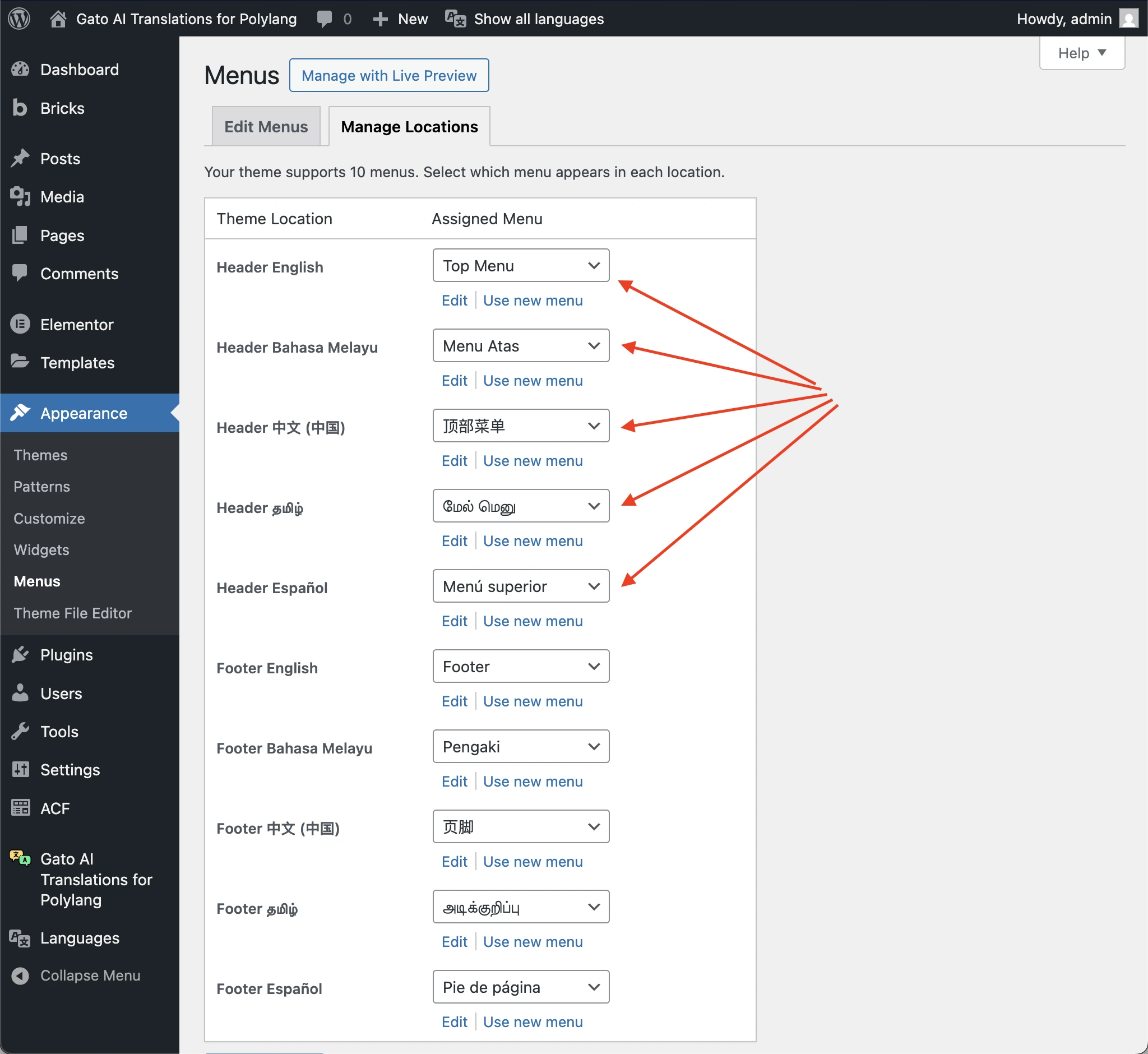
Read more in detail in the guide Translating menus.
WP-CLI support
This feature is also available via WP-CLI using the new wp gatotranslate menu command.
Elementor and Bricks integration
Elementor's WordPress Menu widget and Bricks' Nav Menu element are now supported, so translating these will automatically change the reference to the translated menu.
Other improvements
Version 16.0 includes support for ChatGPT 5.2 models.
See the changelog for the full list of changes.
