

✨ Translate user descriptions, logs improvements, support for Claude Opus 4.6

Gato AI Translations for Polylang just dropped v16.1, with translation of user descriptions (in the UI and via WP-CLI), support for Claude Opus 4.6, better logging and memory checks, and a couple of bug fixes.
Translate user descriptions
You can now translate user descriptions (the biographical info) to all configured languages.
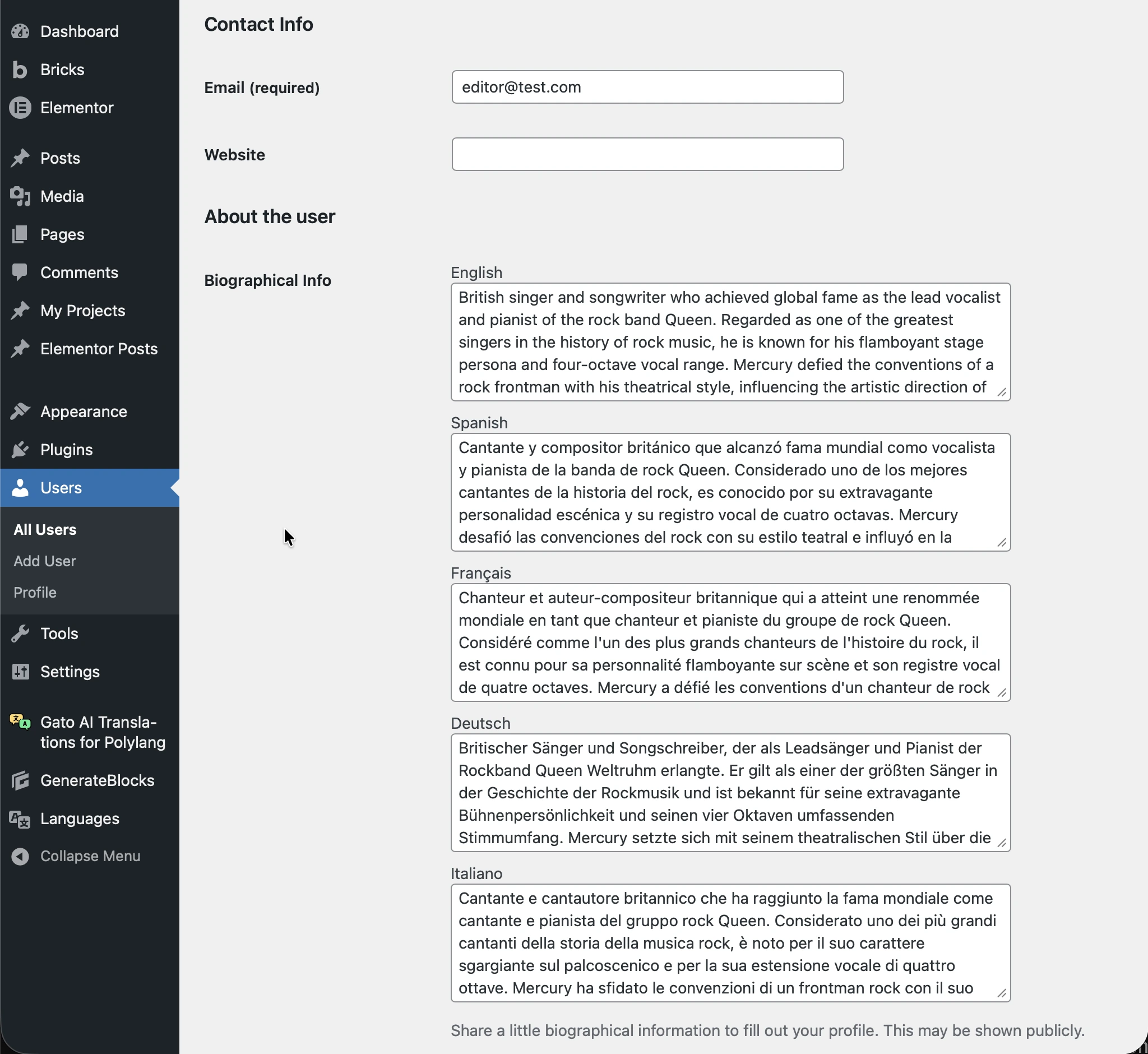
This works both from the WordPress admin and via WP-CLI: use the new wp gatotranslate user command for bulk translation from the command line.
Logs improvements
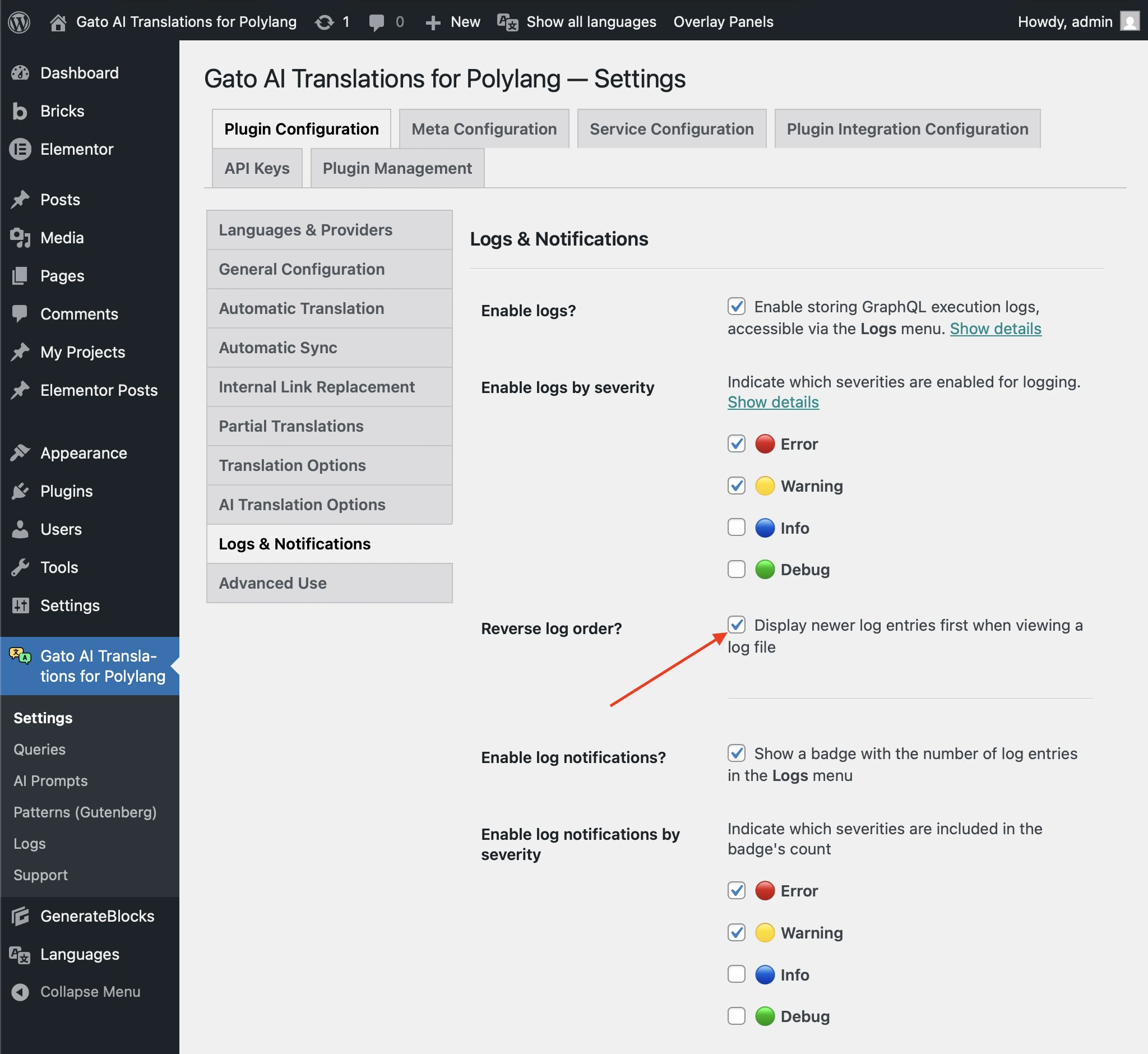
Logs can be printed in reverse order (newest first), so you can see the latest entries without scrolling to the bottom.
To enable it, go to Settings > Plugin Configuration > Logs & Notifications, and enable the Reverse log order? option.
Memory validation
The plugin now checks that the PHP server has at least 1GB of memory available. If not, it will show a notice and link to documentation on how to increase the memory limit so translations run reliably.
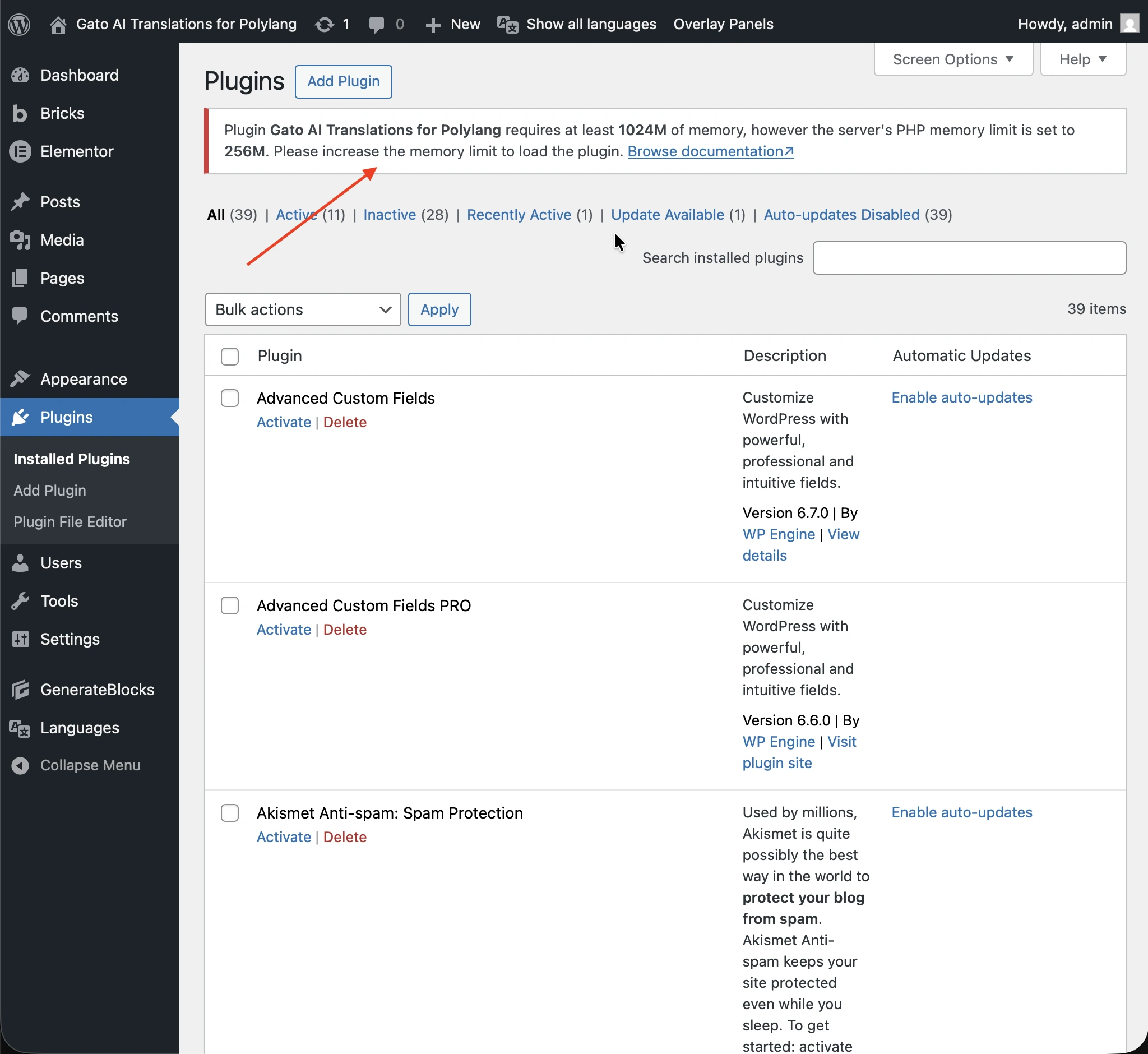
This restriction is to avoid the server running out of memory when executing intensive translations (eg: when translating many posts at once, for multiple languages).
Reverting to a lower memory limit
If with previous versions of the plugin you did not run into memory issues, and your PHP server does not have at least 1GB of memory available, you can revert to a lower value for the required memory by defining the GATO_MLP_REQUIRED_MAX_MEMORY constant in wp-config.php (eg. 512MB):
// Override the memory required by the plugin, from 1GB to 512MB
define('GATO_MLP_REQUIRED_MAX_MEMORY', '512M');Claude Opus 4.6
The plugin now supports Claude Opus 4.6 as a translation model.
See the changelog for the full list of changes.
