

Handle memory
Gato AI Translations for Polylang requires your PHP server to have a max limit of 512MB of memory or more.
If your server does not provide this amount of memory, the plugin will not load.
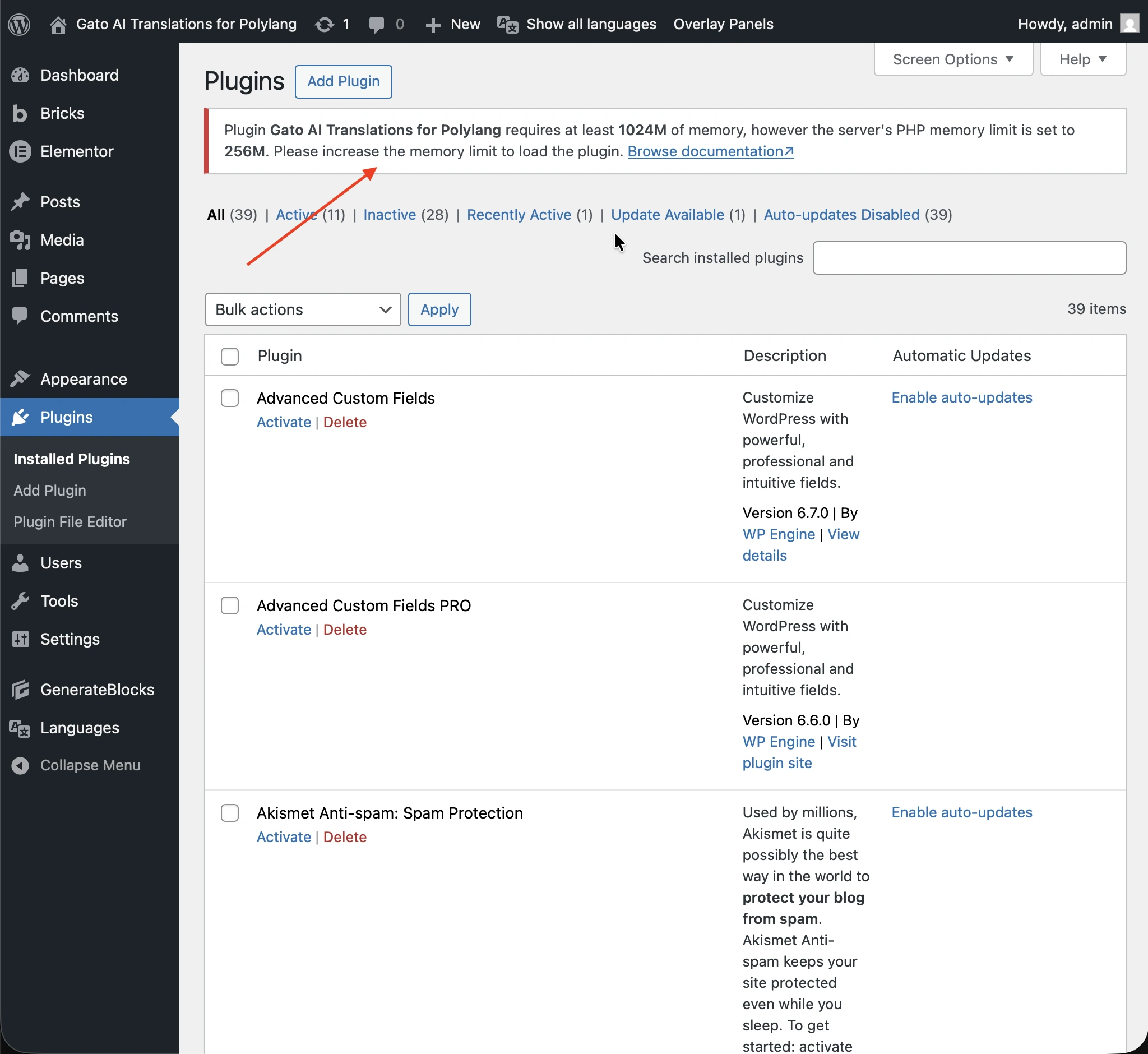
This restriction is to avoid the server running out of memory when executing intensive translations (eg: when translating many posts at once, for multiple languages).
Checking the available memory
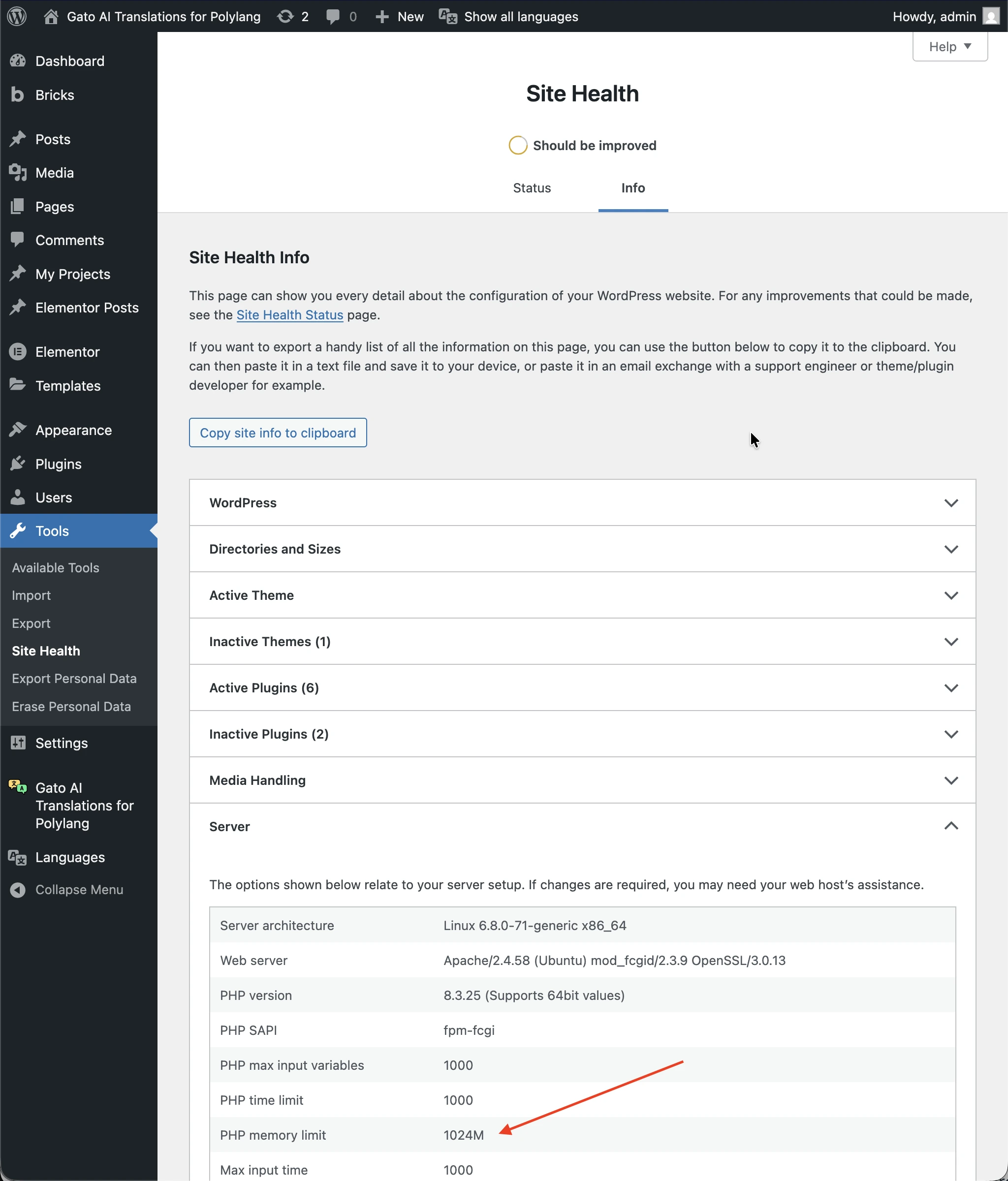
To find out the available memory, go to the Tools > Site Health screen, and under the Info tab, check the value under Server > PHP memory limit:
Increasing the memory limit
To increase the max memory limit in WordPress, you may need to:
- Increase the memory limit in your hosting provider's control panel
- Increase the memory limit in WordPress by adding the following code to the
wp-config.phpfile:
if ( !defined('WP_MEMORY_LIMIT') ) {
define( 'WP_MEMORY_LIMIT', '1G' ); // 1GB
}
if ( !defined('WP_MAX_MEMORY_LIMIT') ) {
define( 'WP_MAX_MEMORY_LIMIT', '1G' ); // 1GB for admin dashboard
}If after these steps the memory limit was not increased, check with your hosting provider.
Advanced: Overriding the required memory by the plugin
If you don't need to translate multiple posts at once, or if your posts are not very long, you can set a lower value for the required memory.
To do that, define the GATO_MLP_REQUIRED_MAX_MEMORY constant in wp-config.php:
// Override the memory required by the plugin, from 512MB to 256MB
define('GATO_MLP_REQUIRED_MAX_MEMORY', '256M');In this example, the plugin will load if the server has a max limit of 256MB of memory.