ConfigurationAvoid replacing and translating Bricks components
Avoid replacing and translating Bricks components
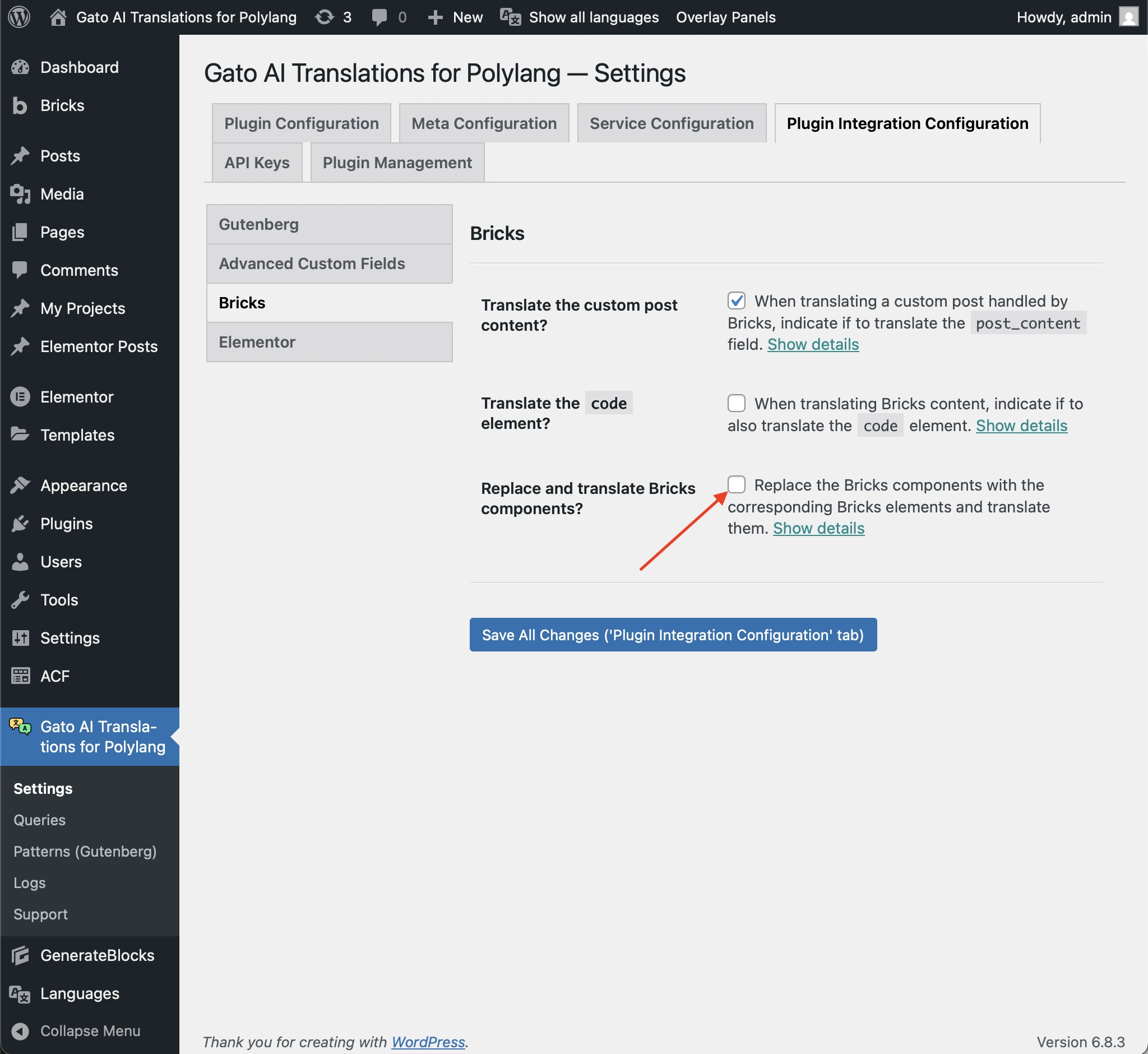
Bricks components can be translated by Gato AI Translations, however with a workaround: Bricks doesn't support language in the component, then the plugin replaces a component with its inner elements in the translated page, upon which it can translate those.
If you prefer to avoid this behavior, and keep the components in the translated page as they are, you can do so. (However, they will not be translated.)
To do so, go to the Settings page, and under Plugin Integration Configuration > Bricks, uncheck the Replace and translate Bricks components? checkbox: