FAQsHow to immediately copy Bricks template conditions before adding content?
How to immediately copy Bricks template conditions before adding content?
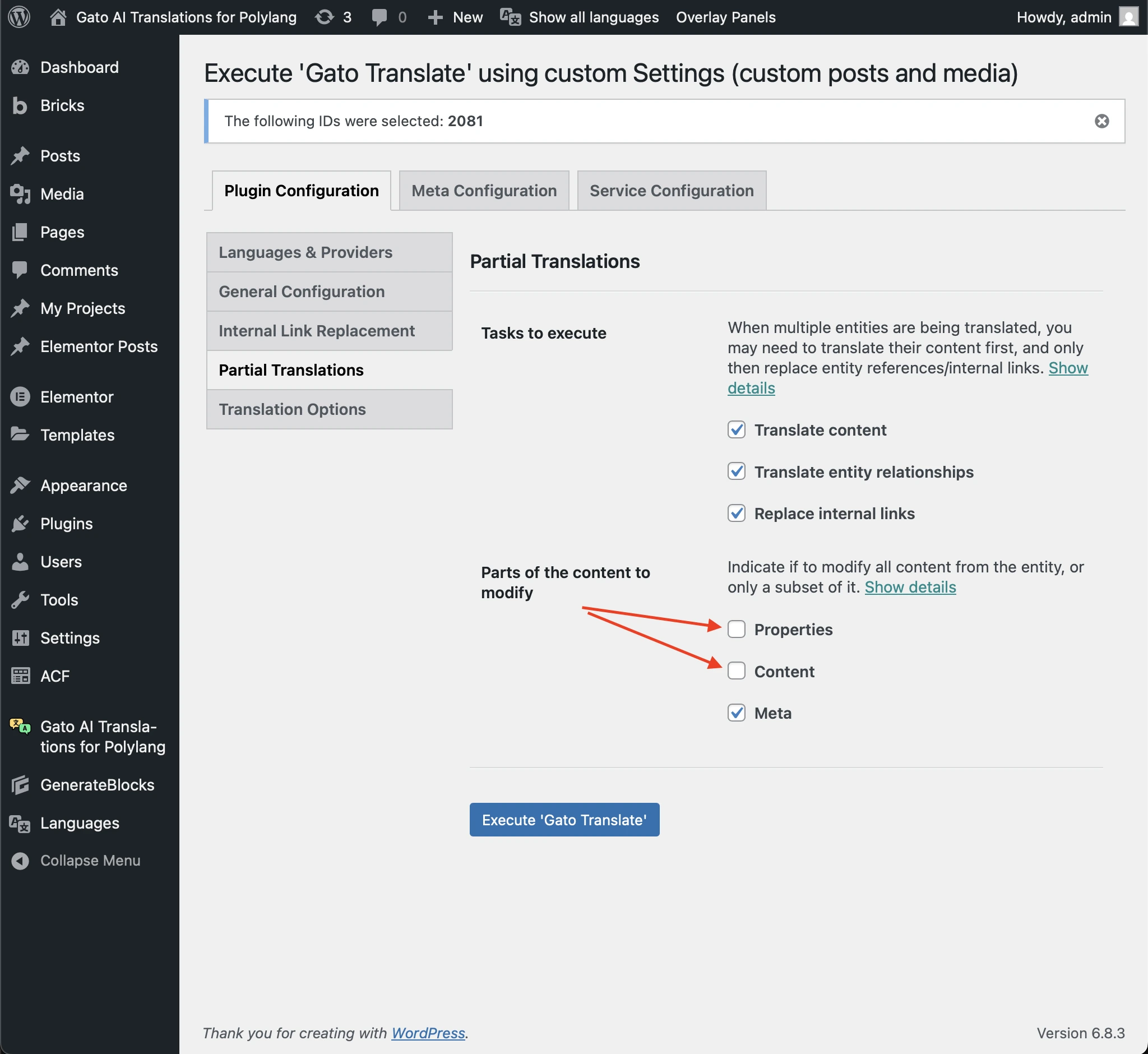
If you are setting-up a Bricks template and want to replicate the template conditions and type for all translations before the template has any content, you can trigger the translation process but working only on the meta (where Bricks settings are stored).
To do so, on the Gato Translate (Custom) settings page, go to the Partial Translations tab, and under section Part of the content to modify, deactivate the Properties and Content options (i.e. only Meta remains checked), and click on the Execute 'Gato Translate' button: